Skip to content
The screen goes dark and a voice reads the page section by section, with captions and controls.
Veever, home page

Turn it on and hover over the site: the phone says what each thing is.Turn it on and tap parts of the site: the phone says what each thing is.

We are Veever

We reveal the world.

We build assistive technology that uses micro-location and artificial intelligence to help blind, low-vision, deaf, and hard-of-hearing people get around and interact with the places they're in.

What the app says at each object
  • Bronze sculpture. Standing human figure, 1.70 m tall, on an 80 cm pedestal. You may touch it. Braille label at the base, on the right.
  • Oil painting. Landscape: a river crosses the canvas between green hills under a late-afternoon sky. Center hung 1.5 m off the floor.
  • Stairs to the mezzanine. Stairs going up ahead: 14 steps, handrails on both sides. Elevator 20 m to your left.
  • Bentwood chair. Part of the collection, Thonet style. Please don't sit on it. Benches 5 m to your right.
  • Grand piano. Public piano, anyone can play. Careful: the open lid is at head height. The bench is on the left side.

You are in front of

Bronze sculpture

Standing human figure, 1.70 m tall, on an 80 cm pedestal. You may touch it. Braille label at the base, on the right.

How it works

Indoor navigation with beacons, step by step

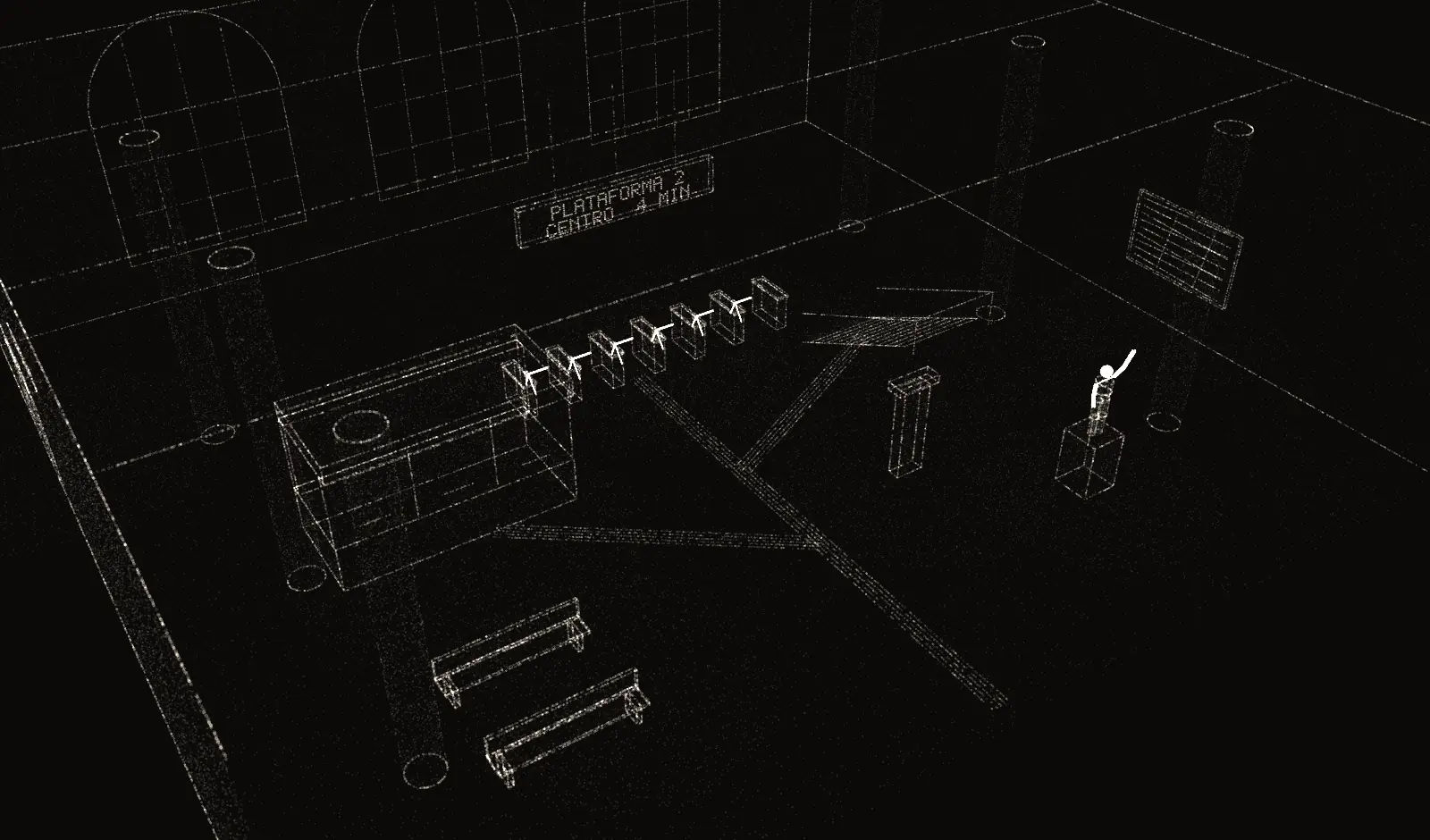
Follow a blind person through a subway station concourse, first with the app off, then with Veever on and each point of interest announced by its own beacon.

Subway station concourse in isometric view, in grains of light: ticket office, turnstiles under the departures board, platform stairs, information kiosk, restrooms, benches, a sculpture on a pedestal, and a painting. A person with a cane at the entrance.

Go to

Guided walkthrough · 8

Let's start

A blind person with a white cane has just walked into a subway station concourse. In 8 steps, you'll see what changes when Veever is on.

  1. This is who we'll follow They're blind and use a white cane. The cane finds what's on the floor just ahead; the rest of the concourse is out of reach.
  2. With Veever off With the app off, they walk right past the sculpture and keep going. Nothing in the space tells them it's there.
  3. Click here to turn it on This is the Veever app. On the phone, one tap on the screen turns it on, and the app starts listening for nearby beacons.
  4. Each ring is a beacon's range Each point of interest has a Bluetooth Low Energy beacon with a unique ID. The ring on the floor marks where its signal triggers the app.
  5. The sculpture introduces itself They've stepped into the sculpture's beacon range. Without a single tap, the phone shows the work's name and reads its description aloud.
  6. Switch the language These buttons switch between Portuguese, Spanish, and English. Screen and voice change together, and the description plays in that language.
  7. Libras: Brazilian Sign Language In this site demo, an avatar from VLibras, a free tool from the Brazilian government, signs the same sentence in Libras.
  8. Your turn Click anywhere on the floor to walk them there, or pick a destination under Go to. Each point speaks when they get close.

Without JavaScript, the demo stays still. Here is what each point in the concourse says:

  • Ticket office. Ticket office ahead. Priority window on the right.
  • Turnstiles. Turnstiles ahead. The last one, on the right, is a wide gate.
  • Stairs to the platform. Careful: stairs going down, 12 steps. Handrails on both sides.
  • Information. Information point. Ask for the braille map at the desk.
  • Restrooms. Restrooms on your left. The accessible one is the first door.
  • Benches. Benches on your left, with backrests.
  • Departures board. Departures board above the turnstiles. Next train in 4 minutes.
  • Sculpture. Bronze sculpture. You are welcome to touch it.
  • Painting. Painting on the wall to your right. Tap your phone to hear it described.

The system

What runs behind the voice

Bluetooth Low Energy beacons mark the points of interest. The app picks up their signal and speaks the content, which lives in a web dashboard. SERENE, our AI, makes the micro-location more accurate.

01BeaconMarks a point of interest with a unique BLE signal.

One Bluetooth Low Energy signal per point

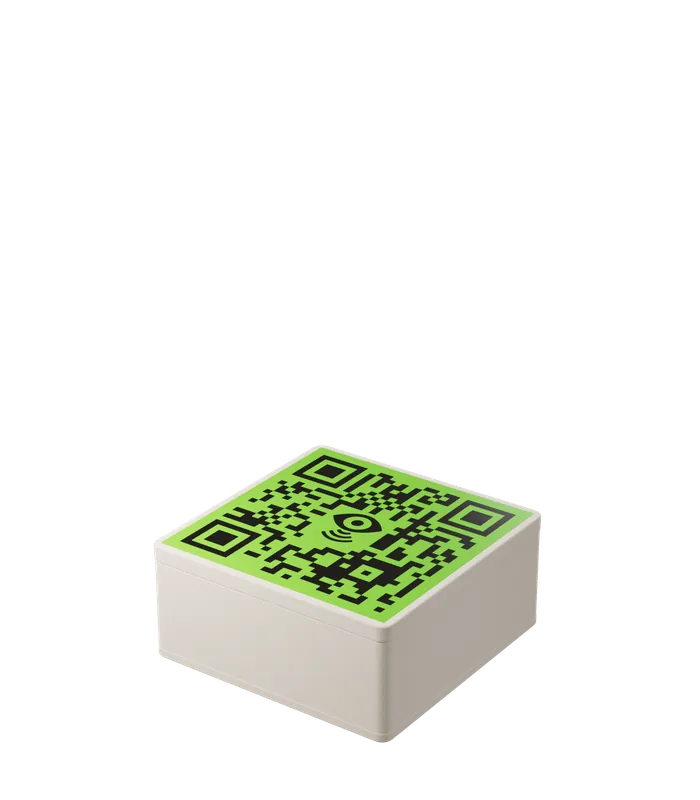
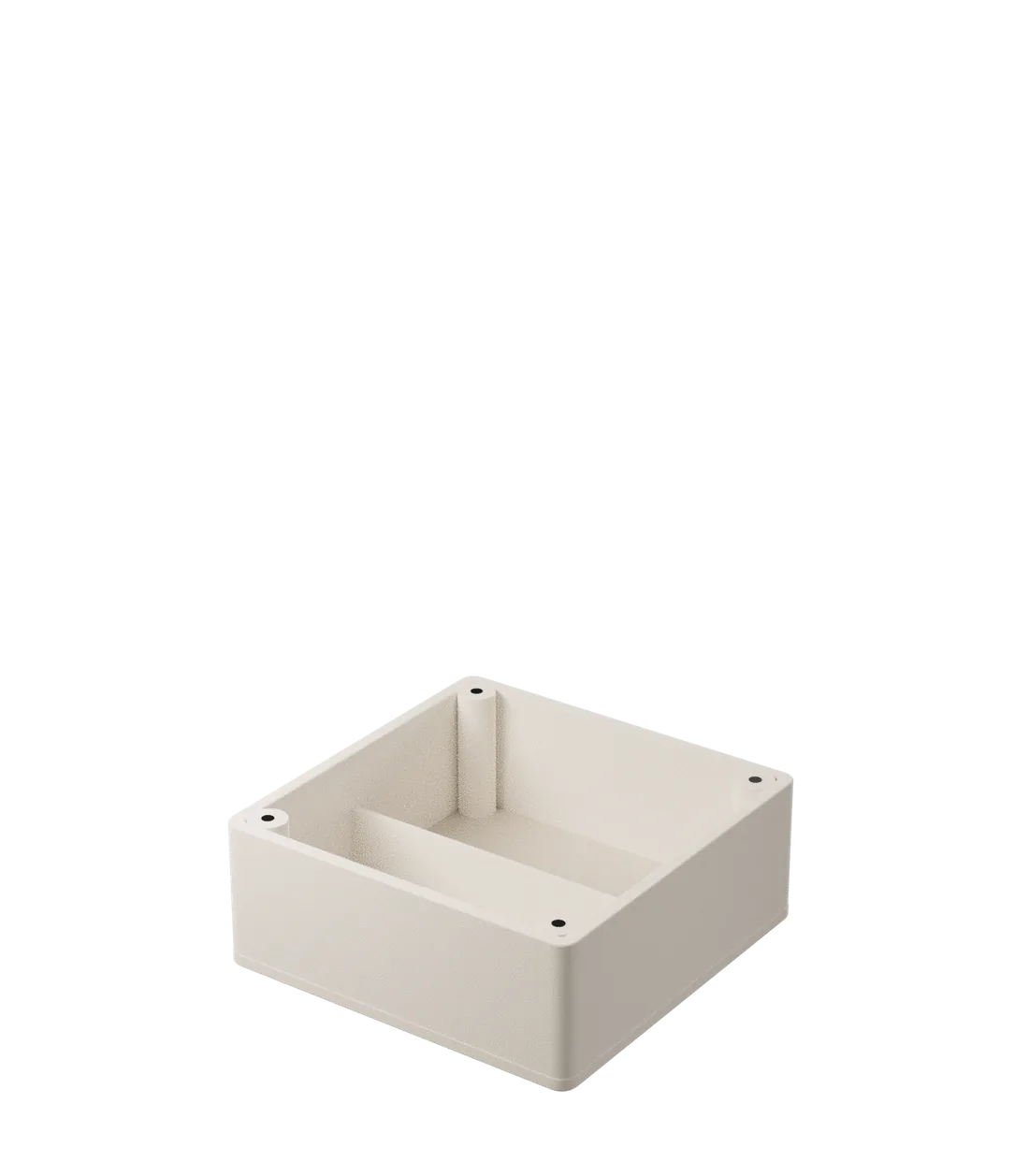
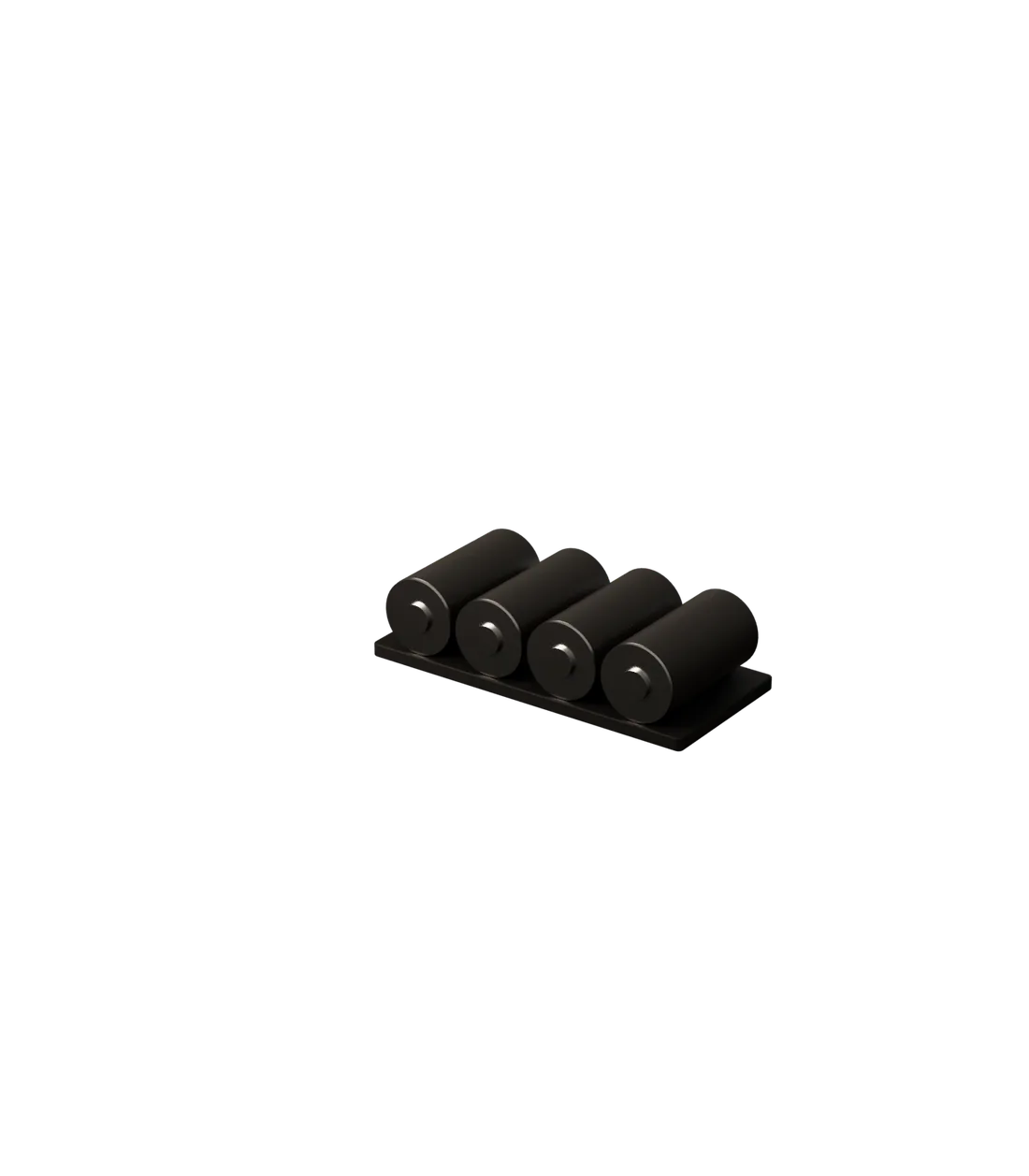
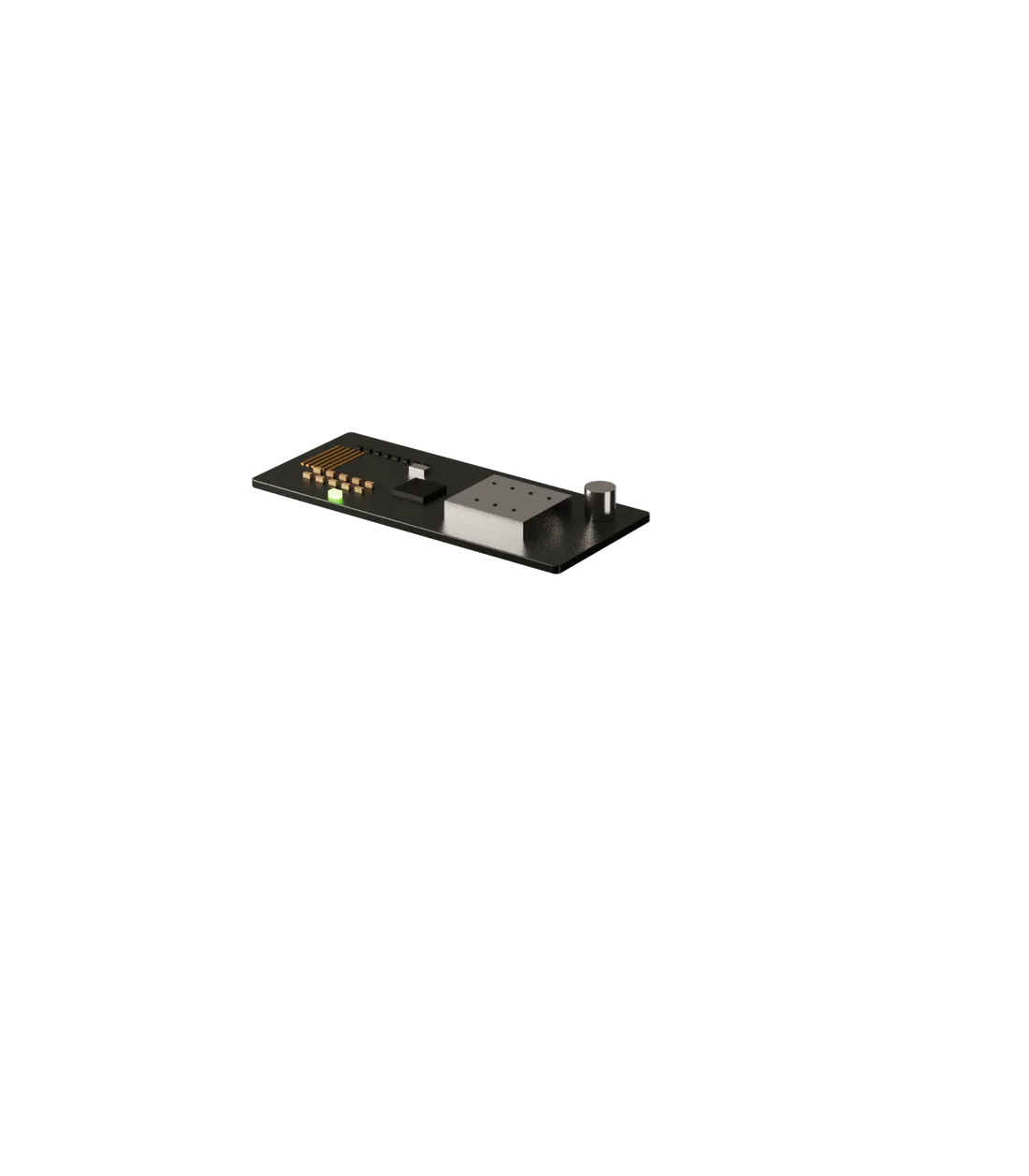
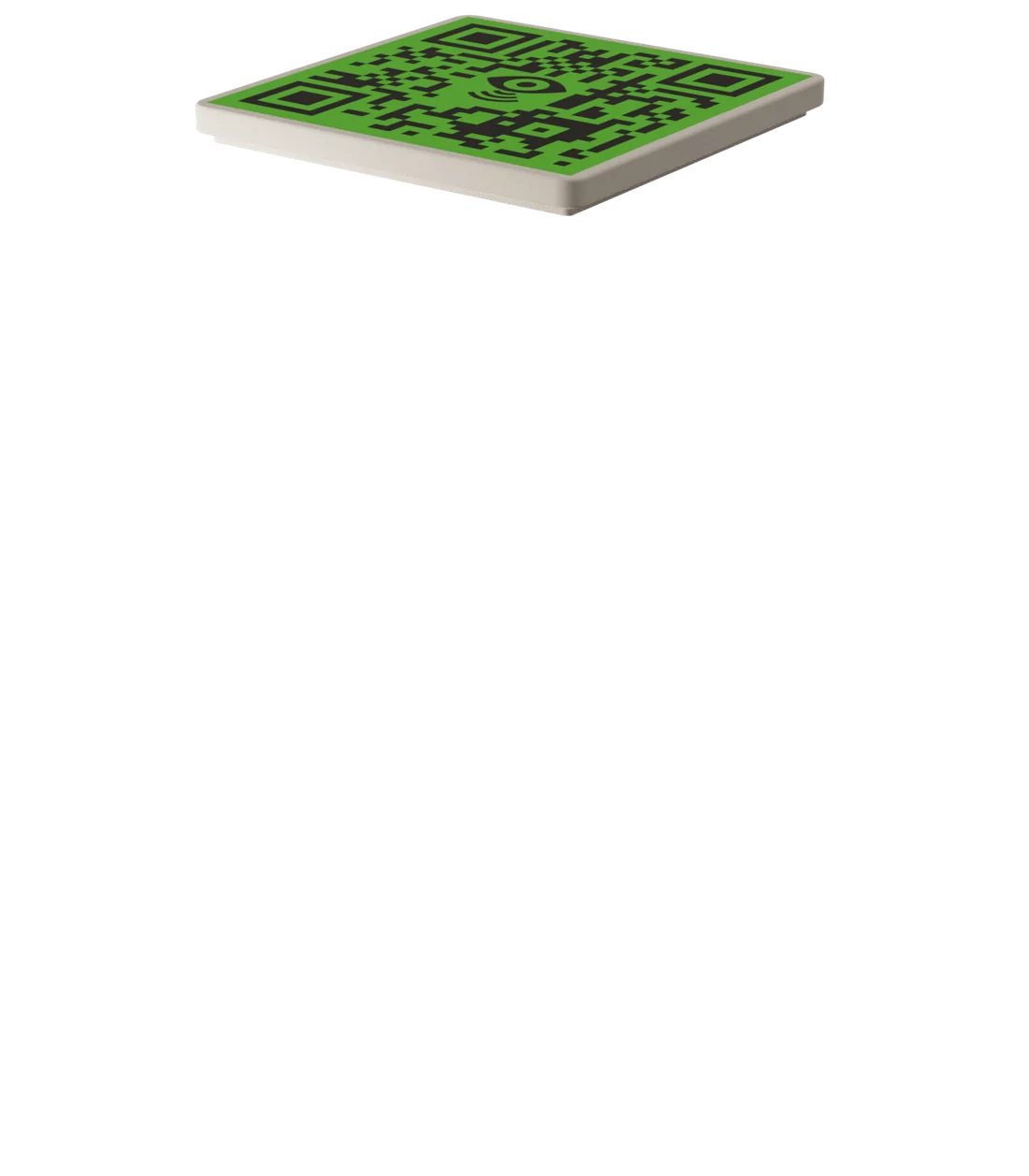
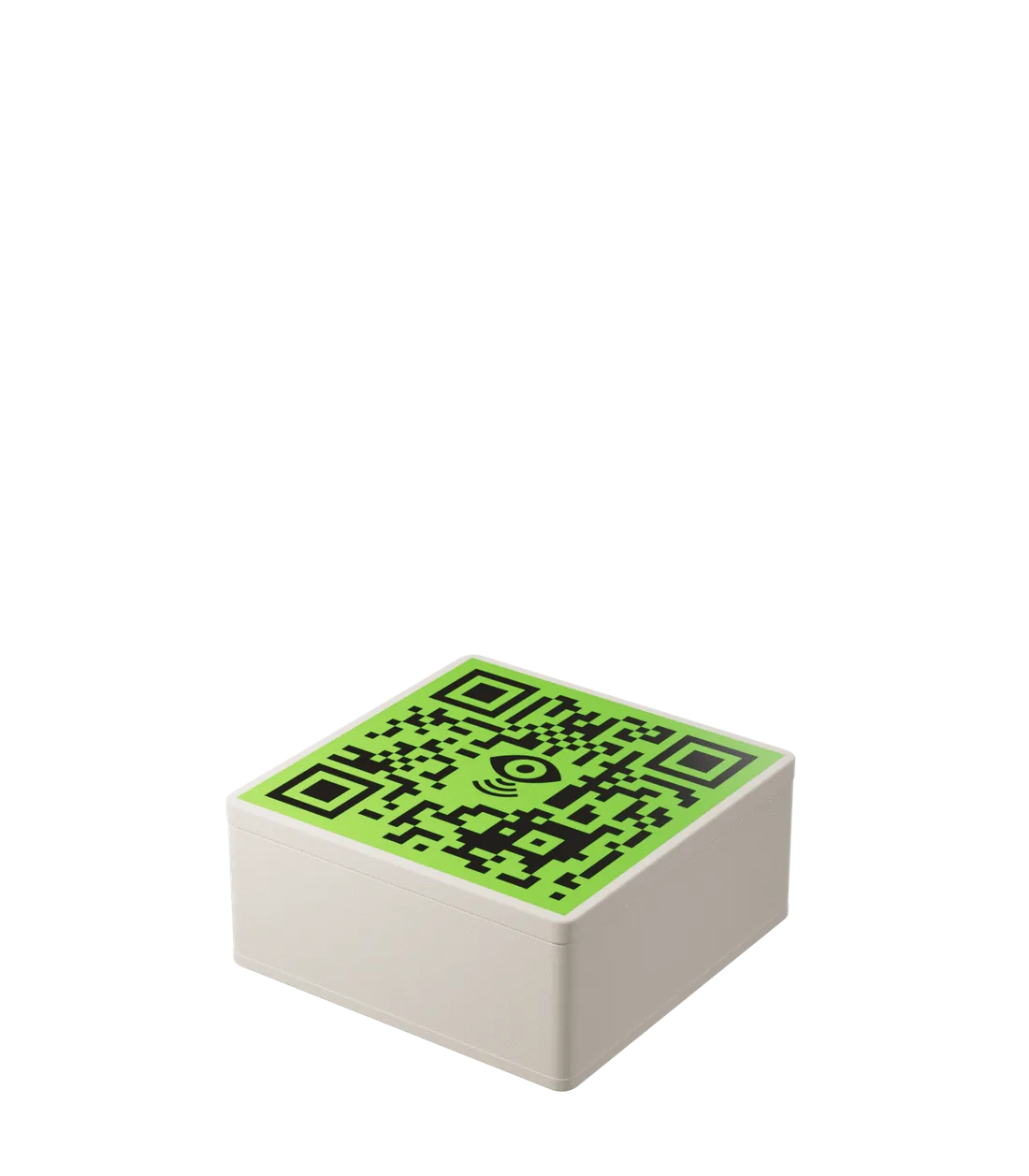
A beacon is a Bluetooth Low Energy transmitter installed next to each point of interest, like an entrance or a step. It broadcasts a unique ID nonstop, and its battery lasts 2 to 3 years. It stores no text: the phone recognizes the ID and reads the content the dashboard has linked to it.

  1. CoverCloses the beacon. Changing a point's text never means opening it.
  2. BoardBLE radio and antenna, broadcasting the ID around the clock.
  3. BatteryPowers the radio for 2 to 3 years.
  4. BaseMounts the beacon at the point, on a wall or a kiosk.
Signal
Bluetooth Low Energy (BLE)
ID
UUID + major + minor
Battery
2 to 3 years
Content
None: text lives in the dashboard

02AppRecognizes the beacon and says what's there.

Near a point, the phone speaks

With Veever on, the app listens for nearby beacons and picks the closest: it shows the point's name and reads the description aloud. Point the phone and you hear what's mapped in that direction. Data is stored on the phone, so it works offline, and the interface is built for people with visual impairments.

  • Speaking rateAdjustable in settings, as a percentage.
  • LanguageBrazilian Portuguese, European Portuguese, English, and Spanish.
  • Request assistanceTells venue staff where the person is, so someone can come help.
  • Demonstration modeSimulates arriving at a point, with a code, away from the venue.

03DashboardWhere the venue writes and publishes what the app says.

Venues › Central Station › Points

Sample dashboard

Floor plan of the hall. Pick a point to edit.

Beacon VB-010

Beacon range

Every point, set up and edited remotely

In the dashboard, venue staff mark each point on the floor plan and enter its spoken text, zone, and trigger range (immediate, near, or far), with a version for each language. They publish remotely, from the web portal or a phone, and devices update once online. Usage reports show how the system is used.

  • Point nameShown on the app card, above the spoken text.
  • What the phone saysRead aloud when someone gets close.
  • Beacon rangeRight next to it, near or far: how close someone has to be before the phone speaks.

04SERENE AISharper micro-location, fewer errors.

Where the person is Each ring is the distance estimated from one beacon's signal. The person is where the rings meet.

SERENE: AI for accurate micro-location

BLE signals fluctuate when walls or people stand between the beacon and the phone. SERENE is the artificial intelligence we built to raise the system's accuracy, cut errors from micro-location devices, and make points easier to map. The platform also translates content into several languages at once.

One sentence, many languages

  1. PortuguêsAtenção: escada descendo, 12 degraus. Corrimão dos dois lados.
  2. EnglishCareful: stairs going down, 12 steps. Handrails on both sides.
  3. العربيةانتبه: درج نازل، 12 درجة. درابزين على الجانبين.
  4. 中文注意:向下的楼梯,12级台阶。两侧有扶手。

Features

Nine features, on two fronts

Four features live on the phone of the person with a visual impairment. The other five are the infrastructure the venue installs and runs.

For users

  1. Audio description

    A voice assistant describes each point of interest and guides the person in real time as they walk, flagging barriers and helpful features along the way.

    Text-to-speech · proximity trigger

  2. Languages

    The venue writes the content once and Veever translates it into more than 20 languages at the same time, from Russian to Chinese. The app interface comes in Portuguese, English and Spanish.

    Content: PT · EN · ES · RU · +20

  3. Micromapping

    Point the phone in a direction and hear which points of interest are mapped there. At Rock in Rio 2019, that's how blind and low-vision festivalgoers got audio descriptions of the stages.

    Up to 8 directions per mapped point

  4. Accessible interface

    Every part of the app was designed around how people with visual impairments use a phone: one tap on the screen turns Veever on, and everything is read aloud at the speaking rate the user picks.

    Tap to activate · adjustable speech

For venues

  1. SERENE

    Artificial intelligence we developed to raise the system's accuracy, make points of interest easier to map, and reduce errors tied to micro-location devices.

    AI · micro-location accuracy

  2. Remote management

    Everything the app delivers is entered and changed remotely by the venue manager, through an online portal or a phone. Maps and information change without anyone going on site.

    Web portal · manager app

  3. Auto-sync

    Whenever the database changes and the phone is online, the app's information updates on its own. The settings screen shows when the last sync happened.

    Remote database → phone, when online

  4. Offline use

    The database is stored on the phone itself. On site, the app recognizes beacons and speaks the content without an internet connection.

    Local database on the device

  5. Multiplatform

    The app is optimized to run smoothly on older and newer phones, on any operating system. Nobody needs a new device to use Veever.

    Older and newer phones · Android and iOS

Use cases

Multiple applications across all kinds of places

Museums, events, stations, malls, stadiums, schools. Open a space to see where the beacons go and hear what the app says at each point of interest.

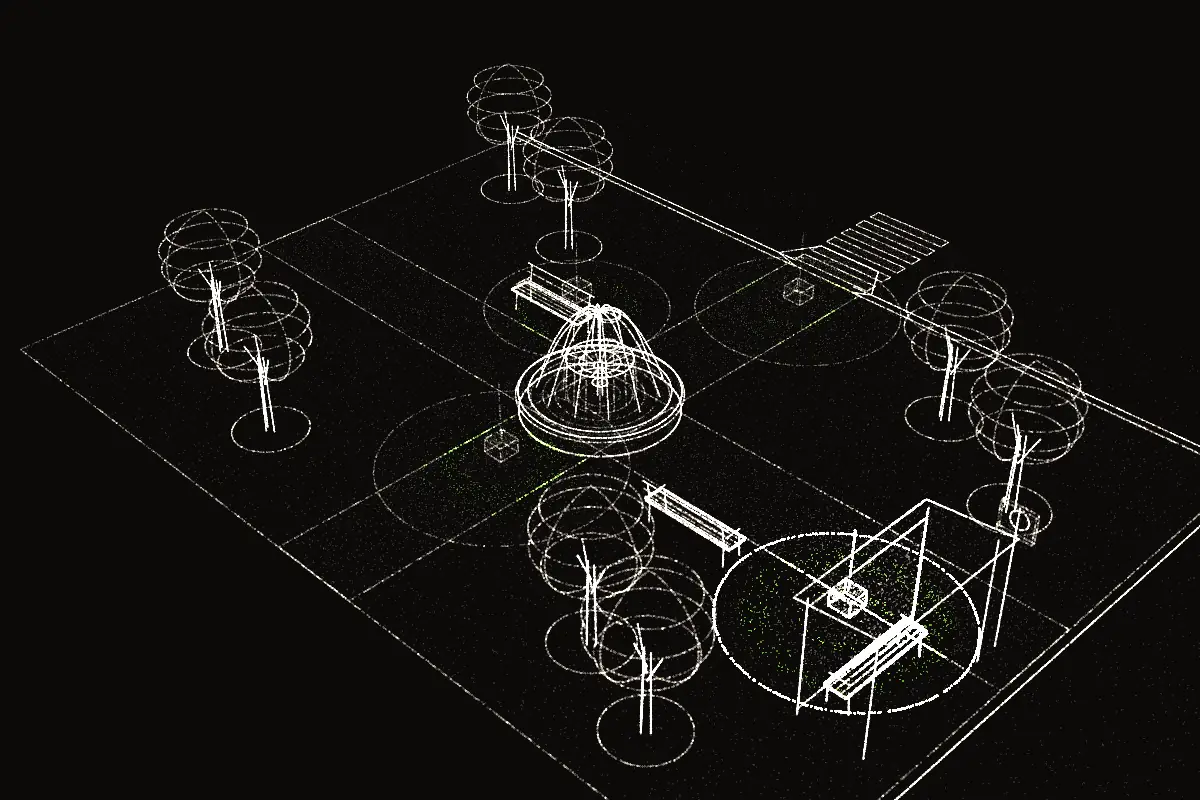
Isometric view of a square with two crossing paths, a fountain in the centre, trees, two benches and a bus shelter on the right. Beacon 1 at the fountain, 2 at a bench, 3 at the bus stop and 4 at the end of the path. The person with a cane is reaching the bus stop, inside beacon 3's range, which is lit.

Town square Public spaces

In a square, each beacon flags a barrier or something useful: the fountain in the way, a bench, the bus stop, and the end of the square.
Town square Public spaces

In a square, each beacon flags a barrier or something useful: the fountain in the way, a bench, the bus stop, and the end of the square.

Isometric view of a square with two crossing paths, a fountain in the centre, trees, two benches and a bus shelter on the right. Beacon 1 at the fountain, 2 at a bench, 3 at the bus stop and 4 at the end of the path. The person with a cane is reaching the bus stop, inside beacon 3's range, which is lit.
  1. 1. Fountain. Fountain 4 m ahead. Go around it on the right.
  2. 2. Bench. Bench with a backrest on your left. Trash can just past it.
  3. 3. Bus stop. Bus stop 3 m to your right. Lines 203 and 216 stop here.
  4. 4. End of the path. End of the square. Curb ramp ahead, with a crosswalk.

Festival Entertainment

Stage, bar, restrooms, and entrance announce themselves as people get close. Rock in Rio 2019 had about 60 beacons on its grounds.
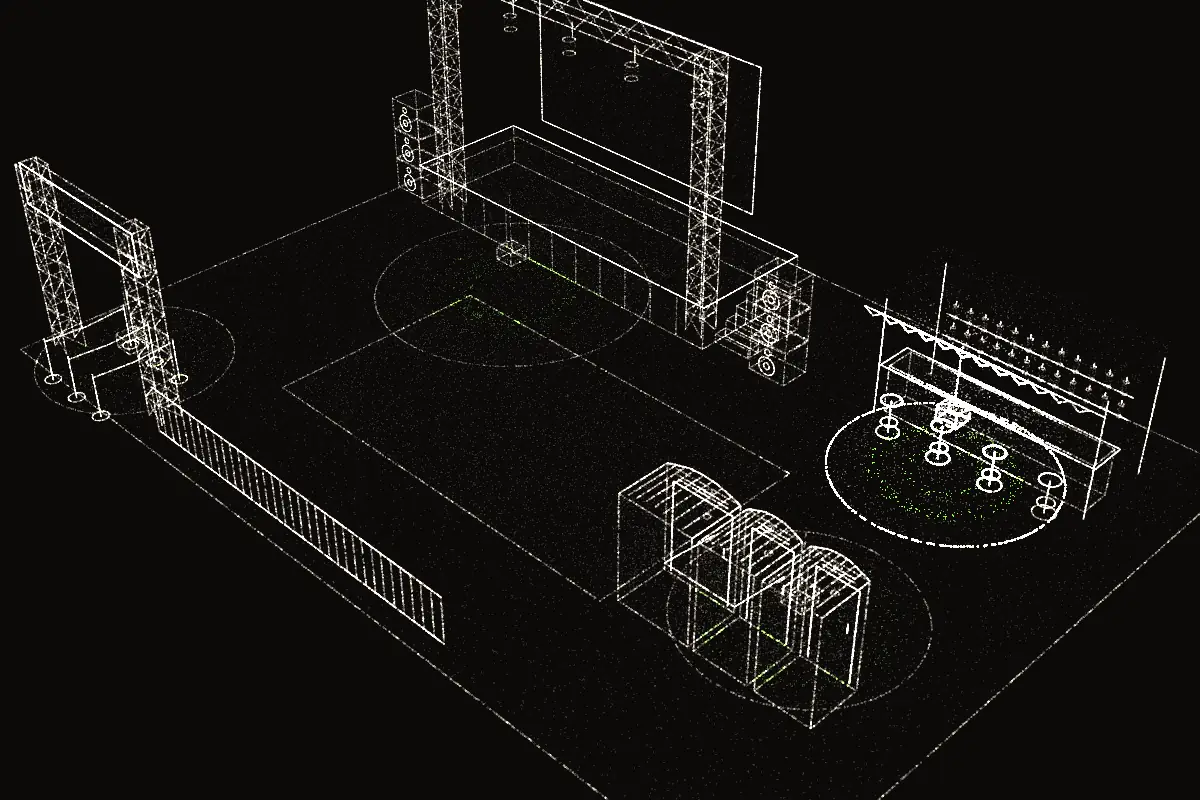
Isometric view of a festival with a stage and screen at the back left, a dance floor, a bar on the right and restrooms in the front corner. Beacon 1 in front of the stage, 2 at the bar, 3 at the restrooms and 4 at the entrance. The person with a cane is at the bar, inside beacon 2's range, which is lit.
  1. 1. Main stage. Main stage 30 m ahead. Audio description of the show is available.
  2. 2. Bar. Bar on your right. Priority line at the left end of the counter.
  3. 3. Restrooms. Restrooms ahead. The accessible one is the first door, with grab bars.
  4. 4. Entrance. Main entrance behind you. Meeting point to the right of the gate.

Shopping mall Retail

In a mall, the app points out the escalator, the elevator, the anchor store, and the food court, with the direction and floor of each.
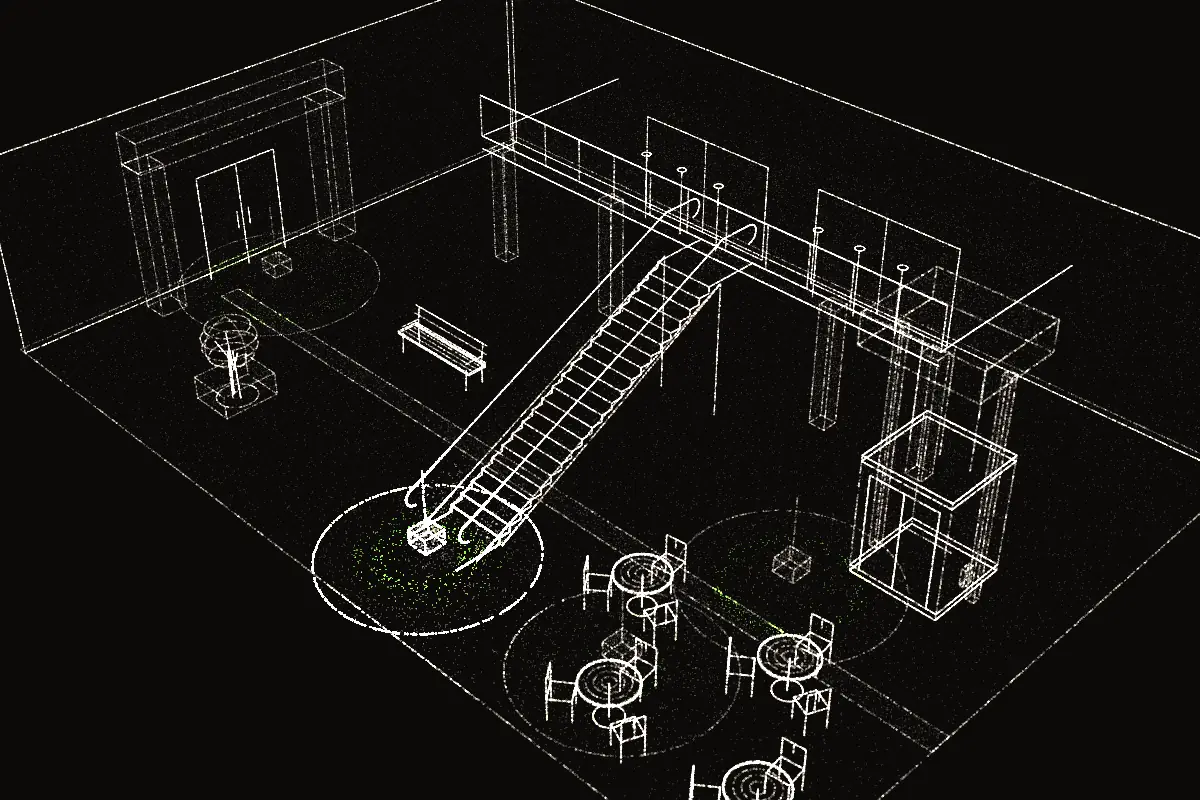
Isometric view of a shopping mall: a mezzanine at the back, an escalator rising to it, a panoramic lift on the right, the anchor store entrance on the left and food court tables at the front. Beacon 1 at the foot of the escalator, 2 at the lift, 3 at the anchor store and 4 at the food court. The person with a cane is reaching the escalator, inside beacon 1's range, which is lit.
  1. 1. Escalator. Escalator ahead, going up to the 2nd floor. Handrails on both sides.
  2. 2. Elevator. Elevator 6 m to your left. Braille buttons and spoken floor announcements.
  3. 3. Anchor store. Anchor store entrance on your right. Automatic doors.
  4. 4. Food court. Food court ahead. The center aisle is kept clear of tables.

Soccer stadium Sports

At the stadium, beacons lead from the gate to the accessible section by way of the ramp, and mark the restrooms and the concession stand.
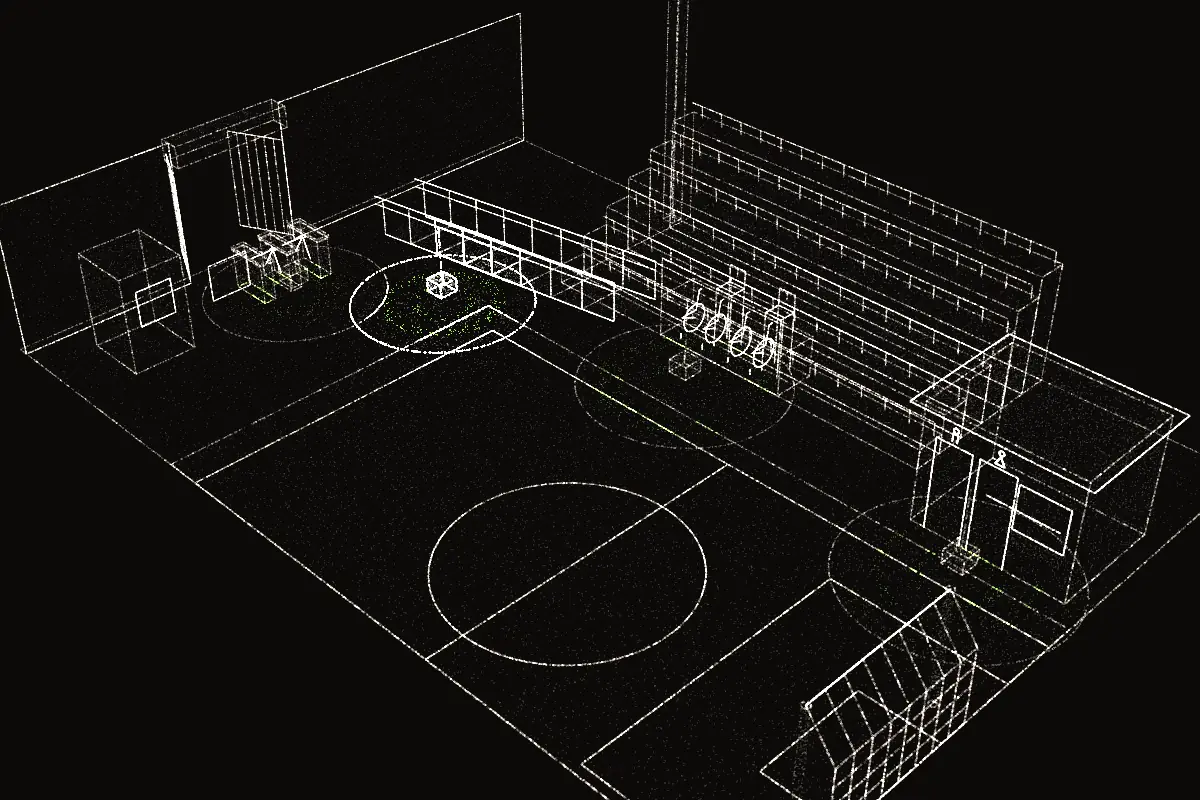
Isometric view of a football stadium: stepped stands at the back, a pitch with centre circle, penalty area and goal, a wall with the gate and turnstiles on the left, and a ramp up to the accessible section. Beacon 1 at the gate, 2 at the ramp, 3 at the accessible section and 4 at the restrooms and snack bar. The person with a cane is at the foot of the ramp, inside beacon 2's range, which is lit.
  1. 1. Gate 4. Gate 4, east side. Wide turnstile on the right, with staff.
  2. 2. Ramp. Ramp to the stands on your left. Handrails on both sides.
  3. 3. Accessible section. Accessible section ahead, row A. Companion seat next to yours.
  4. 4. Restrooms and food. Restrooms on your right; the concession stand is just past them.

Museum Culture

In the museum, every work gets audio description, and the app says what visitors can touch and what is for listening only.
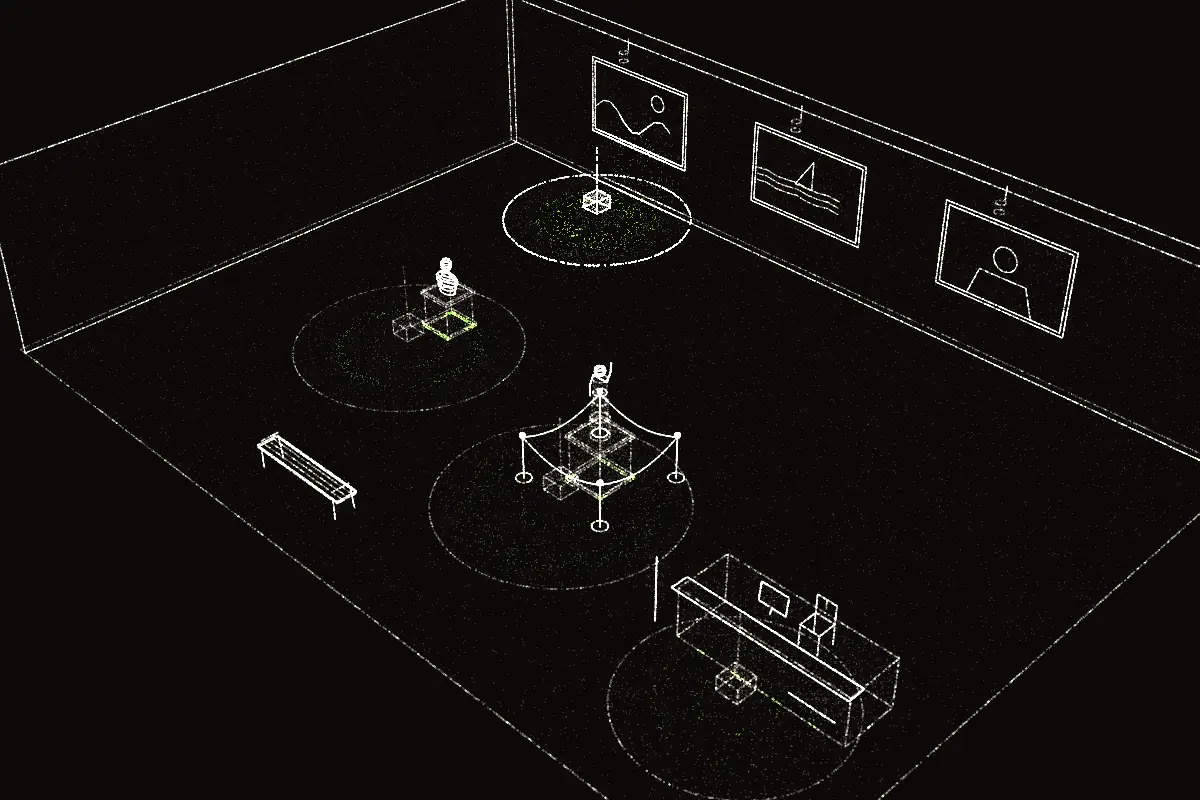
Isometric view of a museum room with three paintings on the back wall, two sculptures on plinths and a help desk on the right. Beacon 1 at the paintings, 2 and 3 at the sculptures and 4 at the desk. The person with a cane stands in front of the paintings, inside beacon 1's range, which is lit.
  1. 1. Paintings. Three paintings on the wall ahead. Step close to each one to hear it described.
  2. 2. Touchable sculpture. Sculpture on your right, open to touch. Start at the base.
  3. 3. Sculpture on pedestal. Sculpture ahead on a 1 m pedestal. Please don't touch; a tactile replica is at the desk.
  4. 4. Help desk. Help desk ahead. Braille guides available.

School Education

At school, beacons mark the board, each classroom door, the stairs, and the schoolyard, so students can get around on their own.
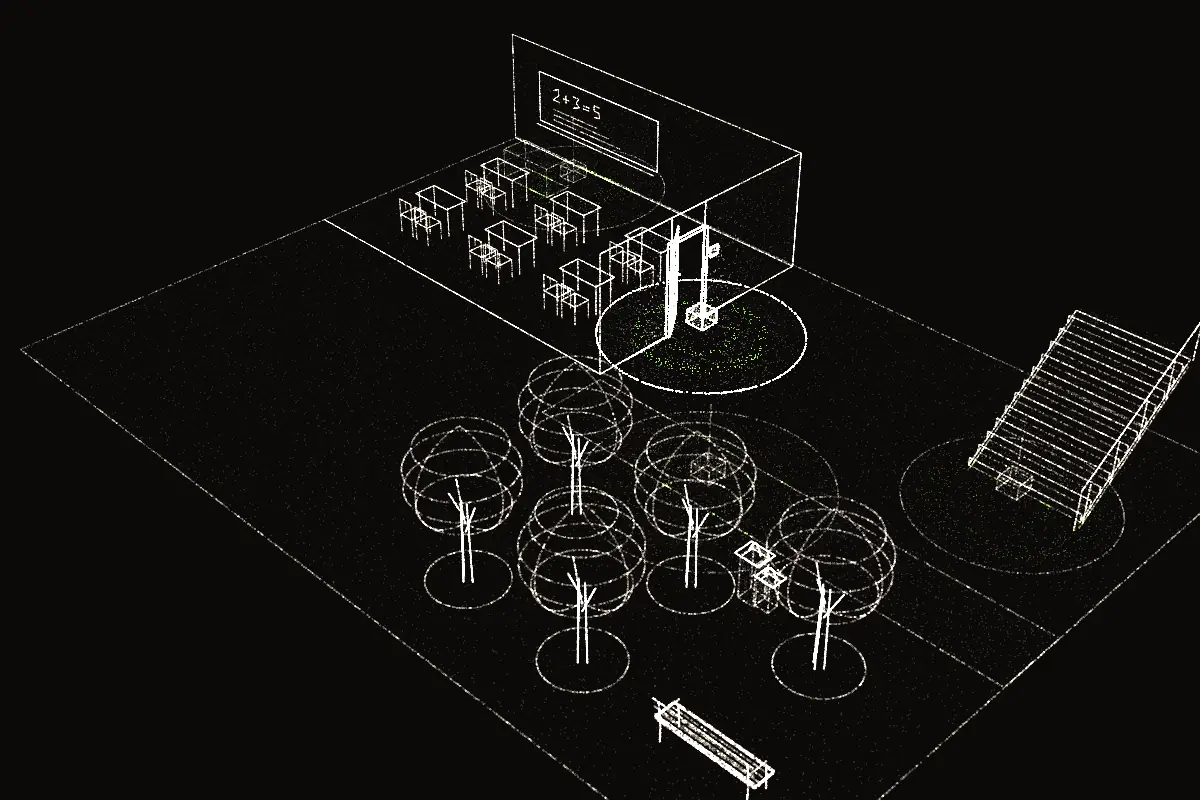
Isometric view of a school: a classroom with six desks and a board on the left, a corridor, stairs and a courtyard with trees on the right. Beacon 1 at the board, 2 at the classroom door, 3 at the stairs and 4 in the courtyard. The person with a cane is at the classroom door, inside beacon 2's range, which is lit.
  1. 1. Blackboard. Board ahead. Today's lesson is also available in audio.
  2. 2. Room 3. Door to room 3 on your left. It opens inward.
  3. 3. Stairs. Stairs ahead, 12 steps going up. Handrail on the right.
  4. 4. Schoolyard. Schoolyard on your right. Water fountain by the second tree.

Trade show Events

At a trade show, every booth and the registration desk become points of interest, with presentation times and accessible materials.
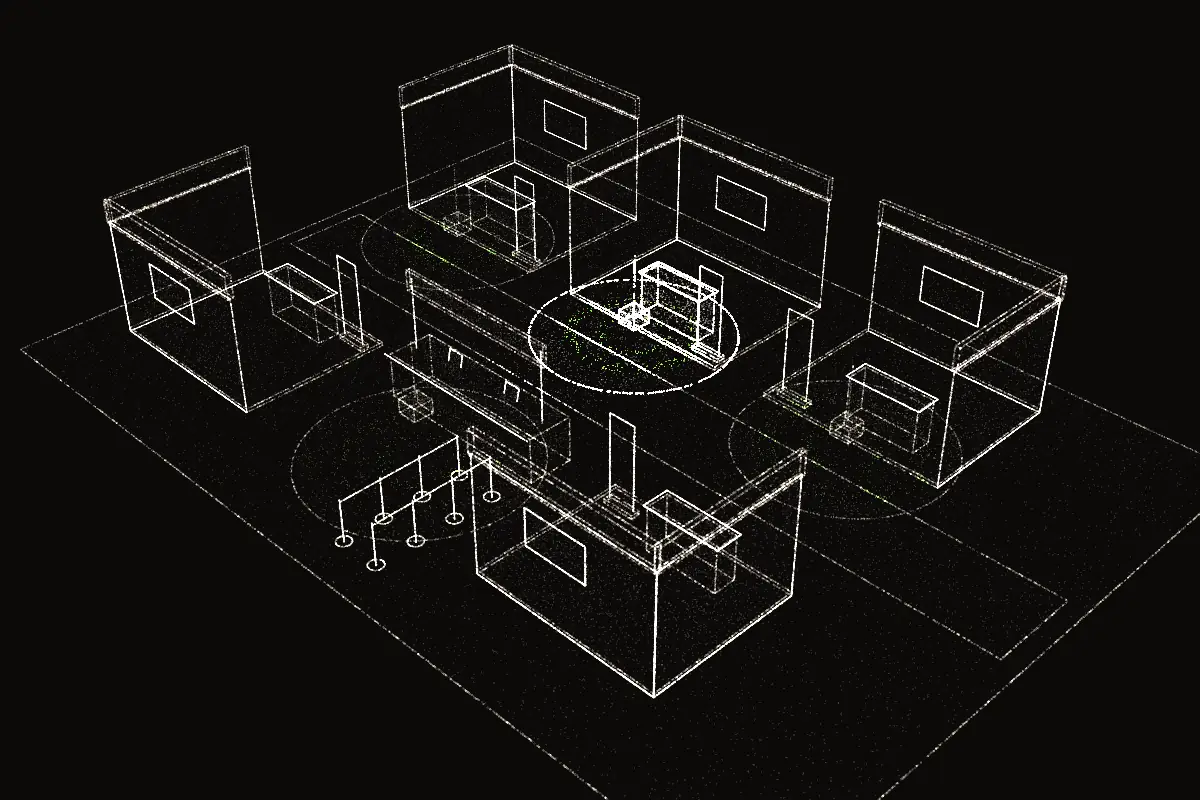
Isometric view of a hall with five booths and a registration desk. Beacons 1, 2 and 3 in front of the three top booths and beacon 4 at registration. The person with a cane stands in front of the middle booth, inside beacon 2's range, which is lit.
  1. 1. Booth A. Booth A on your left. Product presentation at 3 p.m.
  2. 2. Booth B. Booth B ahead. Catalog available in audio and large print.
  3. 3. Booth C. Booth C on your right, with a live demo.
  4. 4. Registration. Registration ahead. Priority line on the right.

Subway station Transit

In a subway station, the most important alert is the platform edge, and the app also says which train is arriving. Turnstiles, exit stairs, and an information kiosk complete the route.
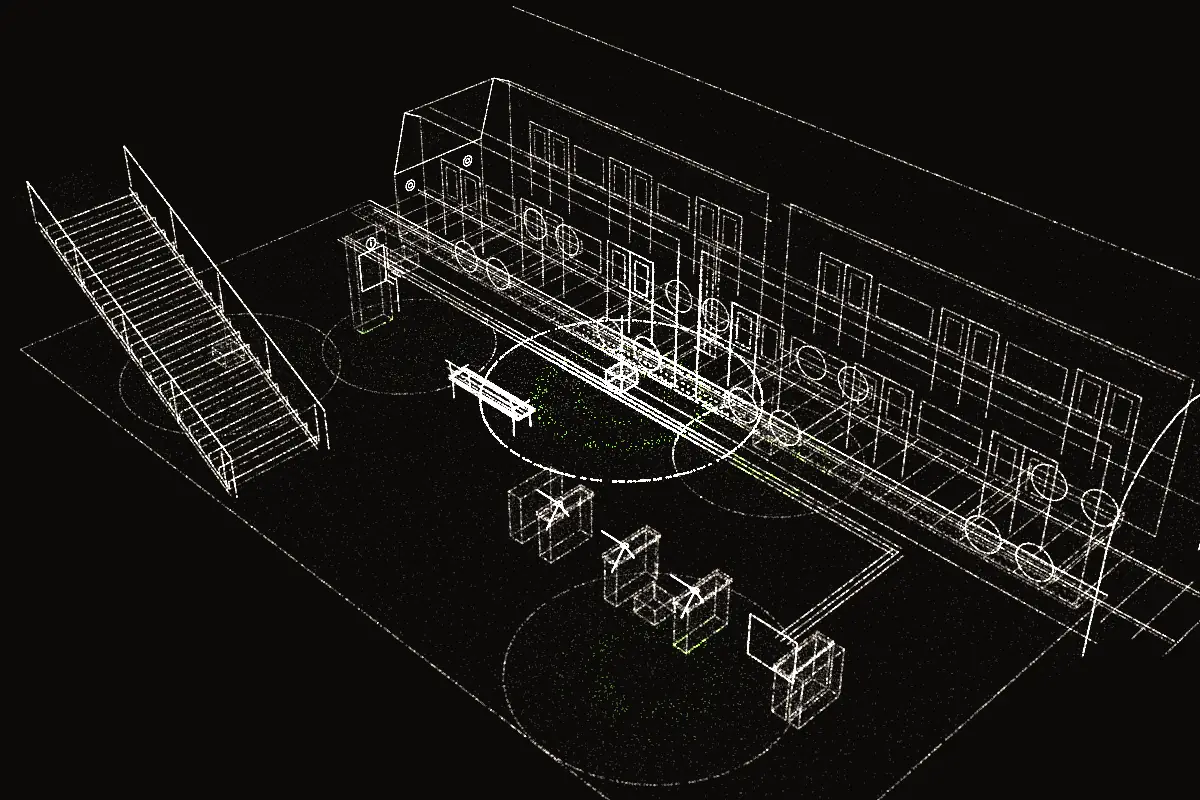
Isometric view of a subway station: turnstiles on the left, the platform in the middle with warning tactile paving at the edge, a train at the track, an exit staircase and an information kiosk on the right. Beacon 1 at the turnstiles, 2 at the platform edge, 3 at the stairs and 4 at the kiosk. The person with a cane is on the platform, inside beacon 2's range, which is lit.
  1. 1. Turnstiles. Turnstiles ahead. The last one, on the right, is a wide gate.
  2. 2. Platform. Platform edge 1 m ahead, with a tactile warning strip. Trains heading downtown.
  3. 3. Exit stairs. Exit stairs on your right, 20 steps. Handrails on both sides.
  4. 4. Information. Information kiosk on your left. Tactile station map on its side.
  5. 5. Train arriving. Train arriving at platform 2: Line A, heading downtown. Wait behind the tactile strip.

Heritage trail Tourism

On a heritage trail, the app describes each stretch and gives a heads-up before the tower's tall steps and the lookout.
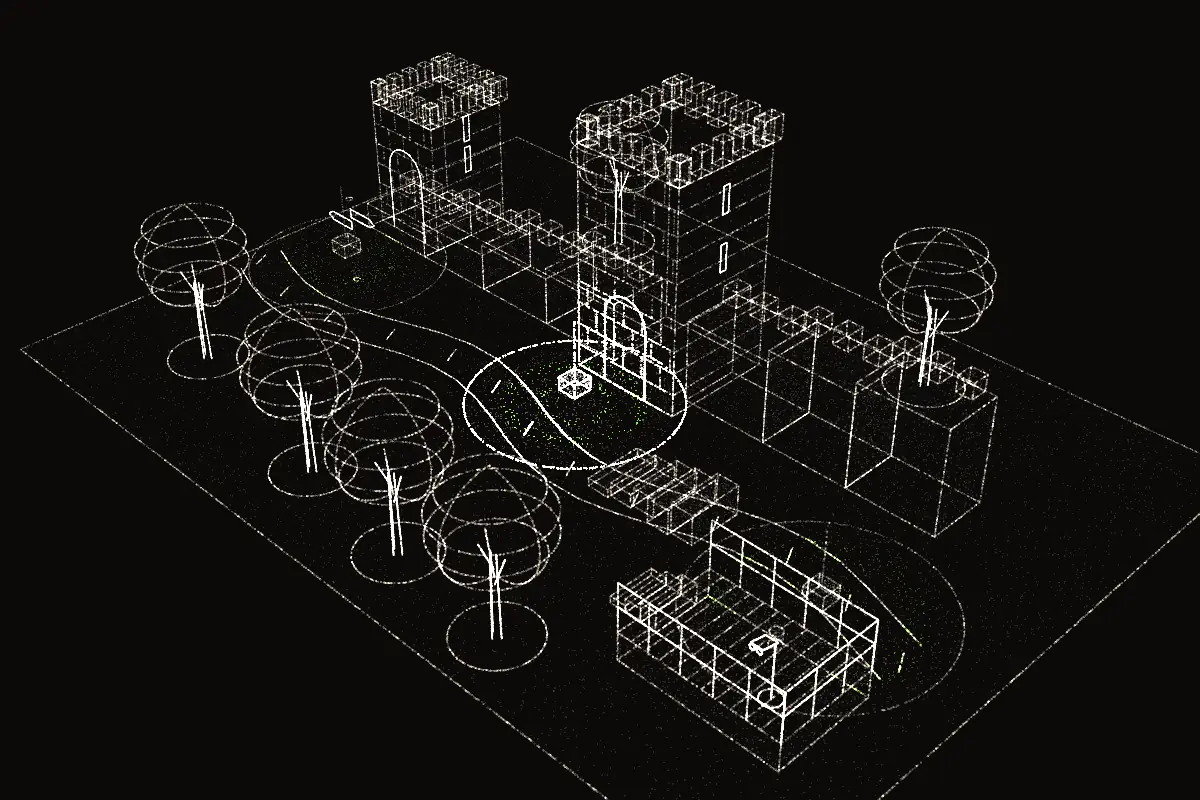
Isometric view of a stepped wall rising from left to right, with three towers, and a path beside it. Beacon 1 at the start, 2 halfway up and 3 at a viewpoint on the right. The person with a cane is halfway along the path, inside beacon 2's range, which is lit.
  1. 1. Trailhead. Start of the trail. Dirt path climbing to your right.
  2. 2. Tower. Tower on your left. Tall, uneven steps for the next 10 m.
  3. 3. Lookout. Lookout ahead, with a guardrail. A description of the view is available.

Office building Corporate

In an office building, beacons guide people through access control and point the way to the emergency exit.
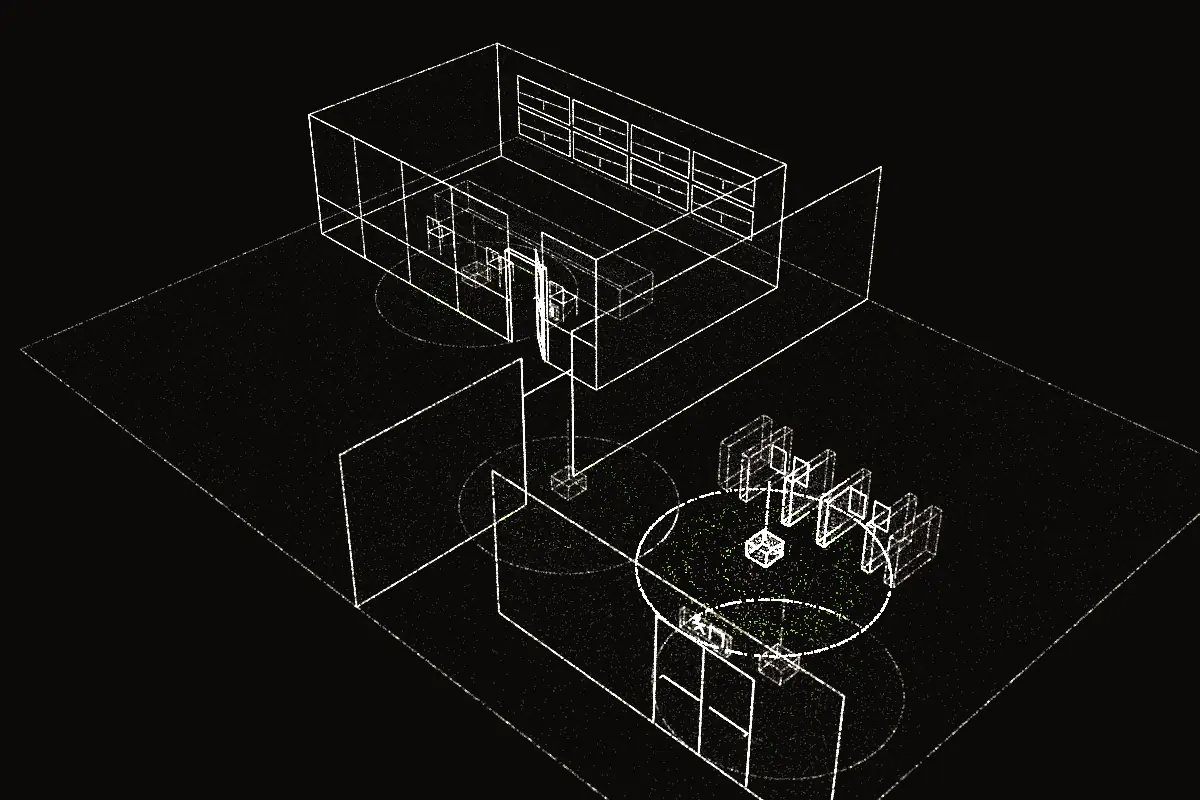
Isometric view of a floor with a monitoring room on the left, a partition in the middle, three turnstiles and an emergency exit on the right. Beacon 1 at the monitoring room, 2 at the partition opening, 3 at the turnstiles and 4 at the exit. The person with a cane stands in front of the turnstiles, inside beacon 3's range, which is lit.
  1. 1. Security room. Security room on your left. Ask for help on the intercom by the door.
  2. 2. Opening. Opening in the partition ahead, 1.20 m wide.
  3. 3. Turnstiles. Turnstiles 2 m ahead. Hold your badge to the reader on the right of each one.
  4. 4. Emergency exit. Emergency exit on your right, past the turnstiles.

Illustrative scenes: the photos are AI-generated, the places are fictional and the spoken lines are examples.

Awards, programs, and press

Four BRICS awards between 2021 and 2025, USC’s Global Impact Award in 2021 and selection as a Global Youth Leader by the World Internet Conference in 2025. In the field, the system ran at Rock in Rio 2019.

  • Apple Developer Academy
  • YLAI · U.S. Department of State
  • USC Stevens Center for Innovation
  • BRICS India 2021
  • BRICS Russia 2024
  • BRICS Solutions Awards
  • World Summit Awards, National Nominee 2020
  • World Internet Conference
  • St. Petersburg International Economic Forum 2025
  • Global Digital Forum
  • SABYA, South African BRICS Youth Association
  • Laureate Brazil Award, Young Social Entrepreneur 2020
  • TOP 100 Open Startups ranking
  • Uninter Top Innovation Award
  • SESI SDG Seal 2020
  • Rock in Rio
  • City of Curitiba
  • Lemann Foundation
  • Estação Hack by Facebook
  • Andrey Melnichenko Foundation
  • Portugal Mobi Summit
  • Viver Inspiradores Award
  • RPC
  • Globo
  • g1
  • CNN Brasil
  • Estadão
  • Gazeta do Povo
  • Projeto Draft
  • Mobile Time
  • Canaltech
  • TOPVIEW
  • DIRE news agency

Installation

The next place to speak could be yours.

We map the space with your team and install the beacons at each point of interest. The content lives in the dashboard, so you can edit it anytime. The app is free for the people who use it.

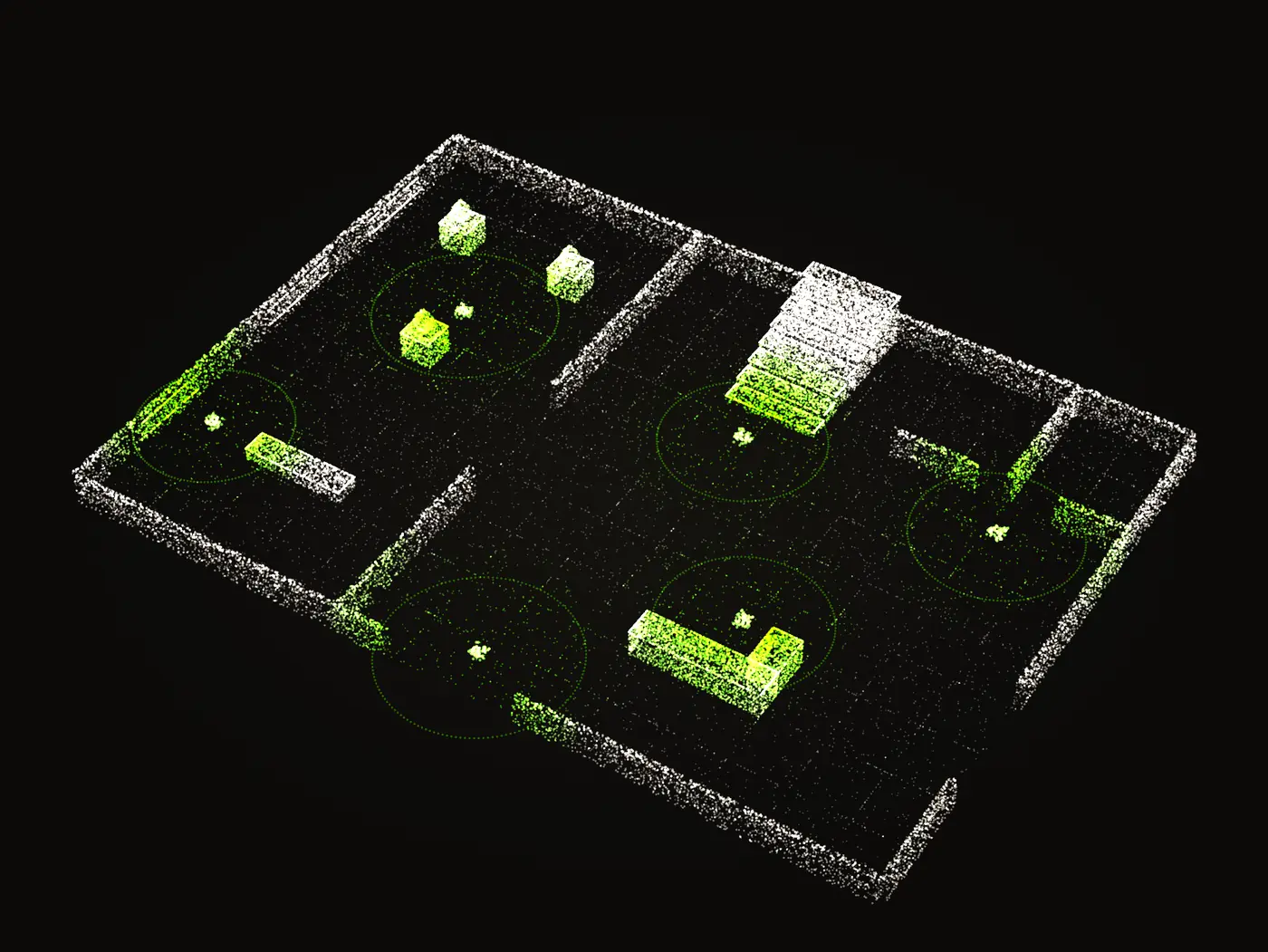
Floor plan of an exhibition space drawn in grains of light, seen from above. Six beacons light up one after another, at the entrance, the front desk, beside the works, on the stairs and at the restrooms, and each one tints green the stretch of floor it covers.

In 5 steps

  1. 01MappingWe walk the space with your team and define the points of interest and the route between them.
  2. 02InstallationWe fix a Bluetooth Low Energy beacon at each point of interest. It runs on battery, with no wiring.
  3. 03CalibrationWe tune each beacon's range on site with SERENE, our artificial intelligence, which maps the signal and cuts micro-location errors.
  4. 04ContentWe train your team to write what the app says at each point in the management dashboard, in the languages your venue serves.
  5. 05SupportWe maintain the beacons and give your team technical support after installation.

Veever Mode

The screen goes dark. The tour continues by voice, with captions. Arrow keys: previous and next point. Esc: exit.